WINDOWS 10 / 11 · FREE · OPEN SOURCE
Your headphones.
Battery levels at a glance.
See the battery levels of up to two Bluetooth headphones in your Windows system tray or a desktop widget you can place anywhere. A small app by Aldikiller.
English is included
Version 1.6.1 supports English. Double-click a battery icon, choose Sprache / Language → English and click Speichern (Save). The choice is remembered. German remains the default. Read the full English guide.
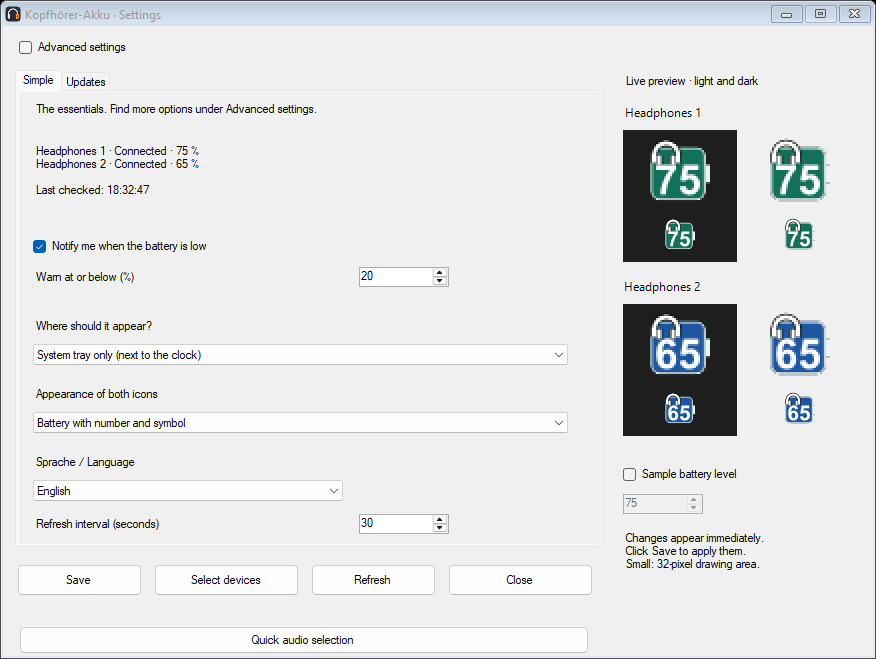 Actual English interface · example devices
Switch audio output with one click
1.6.1 · Click a tray battery icon to send Windows audio to that headphone. A green circle with a white check marks the active output. Unique matching devices are assigned automatically; otherwise choose the output once under Quick audio selection. Saved manual assignments are preserved.
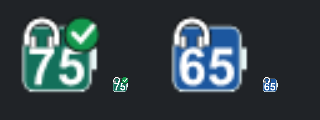 1.6.1
1.6.1Battery checks default to 30 seconds, configurable from 30 to 300 seconds. No rapid extra checks or routine progress banners. App updates are checked manually or optionally at startup.
Installer and portable ZIP · English, German, Spanish, French and Ukrainian · No ads or telemetry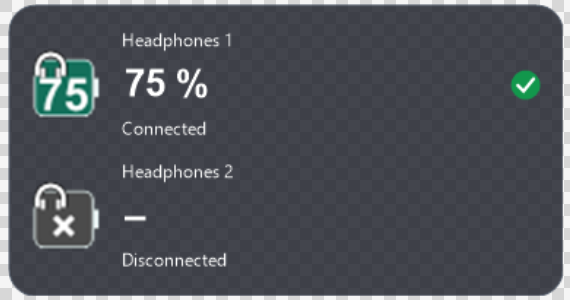 Customize the widget’s size, colors, fonts and transparency. English interface with example device labels.
Version 1.6.1 screenshots
Quick audio selection and device overview with example data. Right-click a tray icon to open the overview. These screenshots show the actual English interface in version 1.6.1, using example devices.
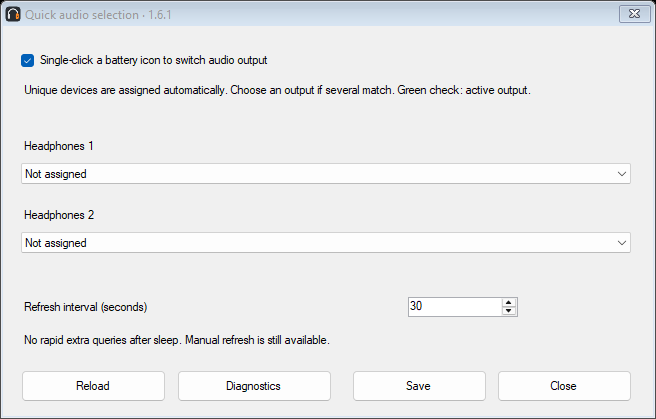 Quick audio selection
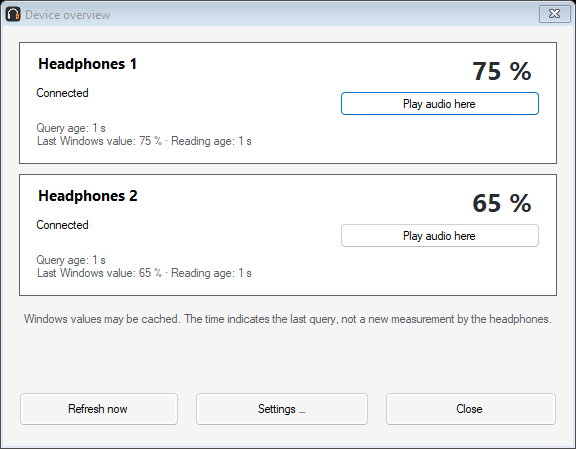 Device overview
Make it your own
Choose device labels, colors, symbols and fonts. Adjust the battery shape and display with a live preview.
Stay informed
Low-battery warnings, optional startup with Windows and an optional update check. Updates are never installed automatically.
Get started
Install the app or extract the ZIP, connect your headphones and select them in the app. The English guide explains setup and settings.
Switch the app to English
Open Einstellungen → Allgemein → Sprache / Language, select English and click Speichern. The interface changes immediately and remembers your choice. German is the default; English is available from version 1.2.0.
Before you download
Requires Windows 10 build 19041 or later, or Windows 11, x64, with .NET Framework 4.8. Battery levels depend on the data supplied by Windows and device drivers. Tested with JBL Live 770NC and JLab Rewind 2. Other models are not yet confirmed.
Downloads are currently unsigned. Windows may display a warning. For help, read the user guide. Report reproducible bugs in Issues, or share questions and compatibility reports in Discussions.
Privacy and license
The app has no ads or telemetry. Settings stay on your computer. The optional update check is off by default; when enabled, GitHub receives your IP address and app version, but no device names or battery levels.
Free and open source under the MIT license. Provided without warranty to the extent permitted by law.